Read-only connection
We read Microsoft 365 and Entra ID data without changing anything in your tenant.

READ-ONLY MICROSOFT 365 TENANT REVIEWS
LicenMark reviews your accounts, admin access, applications, groups, licences and core security settings, then hands you a plain-English, prioritised list of what needs attention, with the evidence to back it up. Read-only. No changes made.
Start online when you are ready. Create your account, connect Microsoft 365, choose a plan, and pay securely. No call or manual approval is required for standard environments with up to 500 users.
Problem
They can pull the data. What is usually missing is a clear review that shows where access, administration, applications, licences and security settings no longer hold up.
A proper review should be able to answer
Microsoft provides the signals. It does not package the review for you.
What This Product Is
Not another admin console. A read-only review that shows where access, administration, applications, licences and security settings no longer line up.
LicenMark turns scattered Microsoft signals into a structured review you can actually use: a prioritised view of access, administration, application and licence issues, and gaps in core tenant security settings, each backed by evidence, not guesswork.
Review output
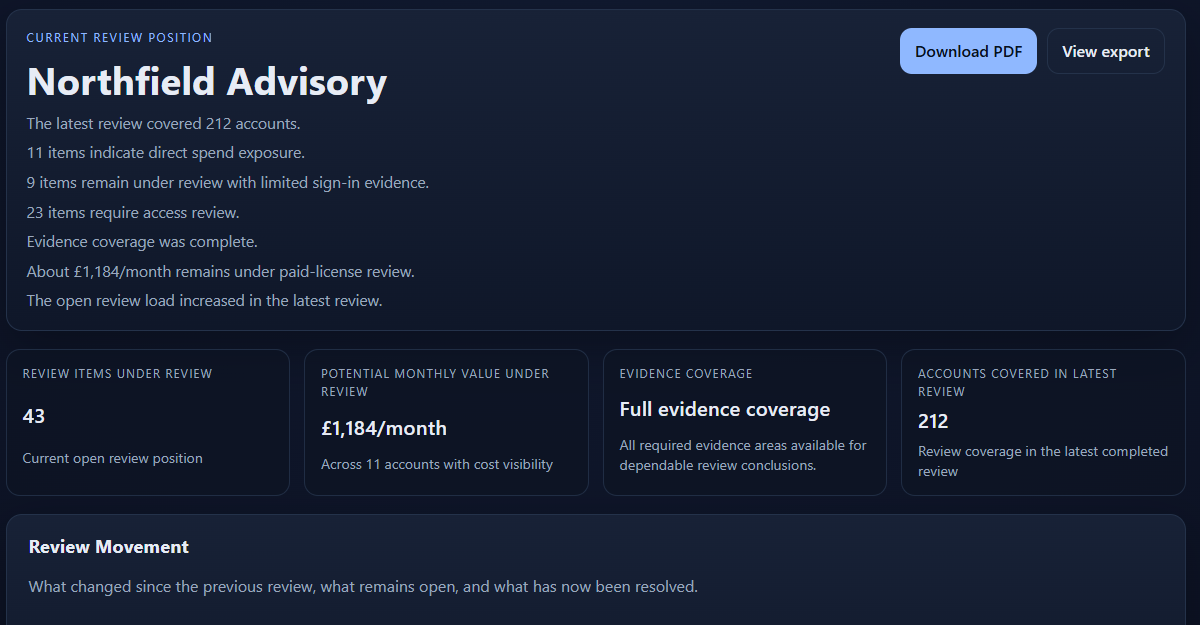
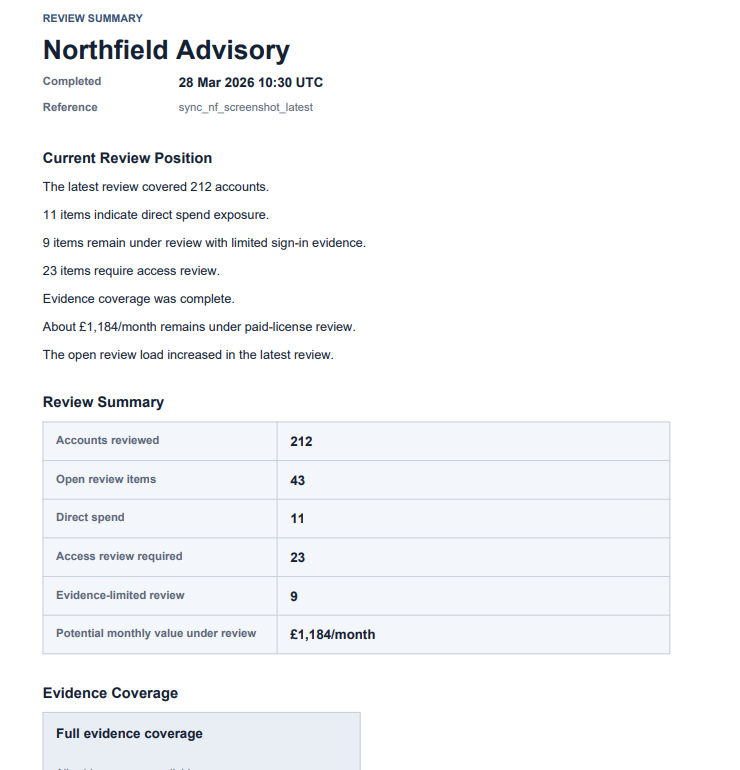
The review does not stop at a dashboard view. LicenMark produces a management-ready output that can be shared internally without turning back into a spreadsheet exercise.
What It Reviews
Clear categories. Plain language. The point is to show what needs review, not bury you in another admin surface.
Review topics
If you are researching a specific Microsoft 365 access or licence issue, these pages explain how LicenMark approaches the review without changing your tenant.
A read-only review of Microsoft 365 licences, access posture, inactive users, and evidence gaps.
How paid licences quietly remain assigned to accounts that need review.
Why disabled accounts with active paid licences are one of the clearest review items.
How stale or inactive users can create licence waste and access review questions.
A read-only review of stale access, account state, licence assignment, and evidence quality.
How It Works
LicenMark reads the data, applies explicit review rules, and gives you a current position you can actually use.
We read Microsoft 365 and Entra ID data without changing anything in your tenant.
Accounts, administrator assignments, applications, access groups, licences and tenant protections are checked using explicit rules, not guesswork.
You get a current review position, the items that need attention, and evidence you can export or circulate internally.
Trust And Safety
The product stays narrow on purpose. That is what makes the review easier to trust.
Non-negotiables
If the evidence is weak, the review says so clearly.
If something is uncertain, it is not smoothed over or guessed into a neat answer.
That is what makes the output usable when finance, security, or leadership want a clear position they can actually rely on.
Engagement Options
A one-off review gives you a clear picture of your current tenant position across all six review areas.
Quarterly review is for teams that want to see what changed since the last review, what was resolved, what remains open, and what has quietly drifted back.
This keeps the offer simple: start with clarity, then continue only if tracking change over time is genuinely useful.
Pricing
LicenMark is offered as either a one-off Microsoft 365 review or a quarterly review plan. Public pricing is based primarily on Microsoft 365 environment size so buyers can see where they likely fit.
Read-only. Deterministic. No remediation. Standard pricing covers normal environments. Unusually large or complex environments are scoped separately.
FAQ
No. It is a read-only Microsoft 365 tenant review covering accounts, administrator access, applications, groups, licences and core security settings.
No. It does not write back, remediate, disable accounts, remove licences, or enforce policy.
The signals exist in Microsoft 365. The gap is turning them into a clear review output your team can actually use.
Because the problem is not access to raw data. It is turning scattered Microsoft signals into a clear review with explicit findings, cost and security findings, evidence separation, and report-ready output your team can actually use internally.
No. The output is for founders, CTOs, IT managers, and security leads who need a clear review position without living inside raw Microsoft admin views.
No. LicenMark uses explicit review rules and states uncertainty plainly where the evidence is weak.
It's broader than a licence audit. LicenMark is a focused Microsoft 365 tenant review covering accounts, administrator access, applications, groups, licences and core security settings, all read-only, with evidence behind every finding.
No. Most teams should start with a one-off review. Quarterly only makes sense if you want to see what changed since the last review and stop the same problems quietly building up again.
Public pricing is based primarily on Microsoft 365 environment size. Up to 150 users sits in the lower band, 151 to 500 users sits in the next band, and environments above 500 users are scoped separately.
Next step
Create your account and continue online when you are ready. Connect Microsoft 365, see the correct price for your organisation, and pay securely through Stripe.
Start with a one-off review. Move to quarterly only if seeing what changed between reviews is useful for your team.
You can also review the Microsoft 365 review process, the read-only security model, or the pricing bands for standard environments.